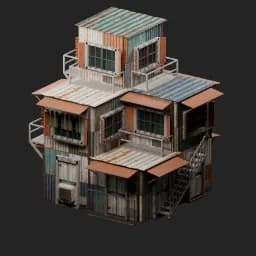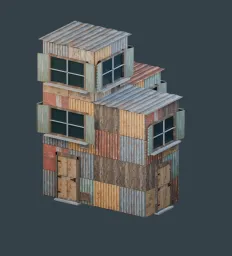
Asset overview
What this node setup does
DROP ON QUAD BLOCKOUT. Edit/extrude mesh: face panels, fast atlas UVMap and roof sheets follow. Procedural 3D windows and doors: frame depth, mullions, shutters, panels, hinges and handles. Local -Y front; optional all sides. Vents use shallow atlas cards. Does not cut wall openings. Realize Geometry for export.
Source and setup notes
Source asset name: OMNI - Shanty Builder Pro
Collection: Buildings/Shanty Builder
Structural inspection used Blender 5.2.0 LTS. Other releases and render engines require separate checks.
How to approach this asset
- Check the source notes for the expected mesh, curve, field, shader or World context.
- Start with a disposable scene and a suitable input. Inspect required object, material or collection inputs.
- Adjust one documented control at a time. Evaluate the result before using it in a production project.