Asset overview
What this node setup does
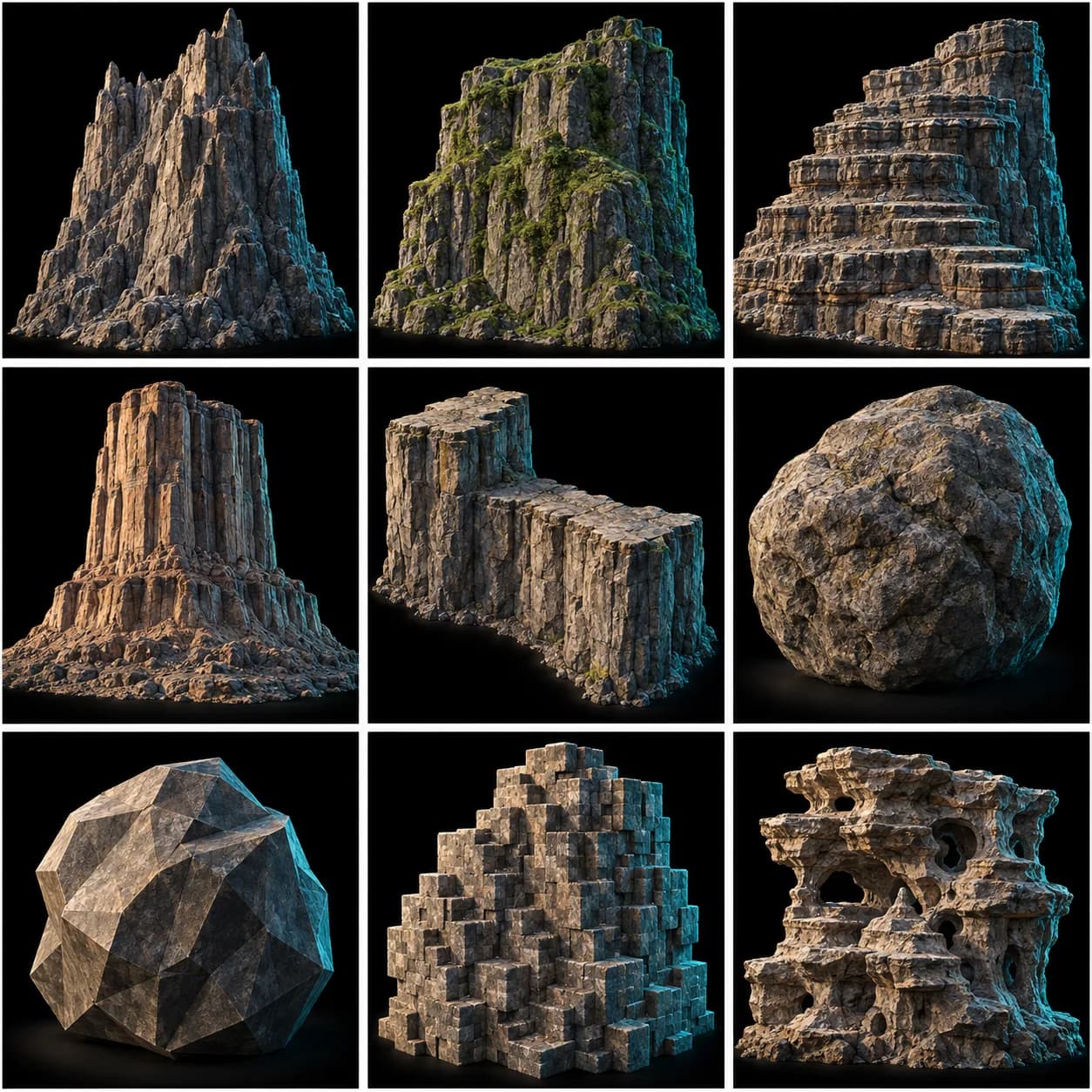
BHub Cliff Pro - production procedural cliff/rock tool, curve-driven. Draw a closed curve = footprint, set Height. FORM: Profile menu (Mesa / Mountain / Spire / Boulder / Wall) drives a height-based width curve; Profile Amount, Lean, Asymmetry shape the silhouette. PIPELINE: capped curve block -> coarse fBm Repeat Zone (Iterations/Displace/Scale) -> Profile taper -> Terrace (stepped shelves) + vertical erosion Gullies + Base Spread -> ground flatten -> watertight VOLUME retopo (Voxel Size) -> Style Menu Switch (Smooth/Hex/Triangulated) -> fine displacement Repeat Zone -> stores edge_sharp (cavity) + base_mask for the shader. One node group = a whole cliff/rock family. NOTE: Profile (0-4) and Style (0-2) are integer menu indices on the modifier panel.
Source and setup notes
Source asset name: BHub Cliff Pro
Collection:
Structural inspection used Blender 5.2.0 LTS. Other releases and render engines require separate checks.
How to approach this asset
- Check the source notes for the expected mesh, curve, field, shader or World context.
- Start with a disposable scene and a suitable input. Inspect required object, material or collection inputs.
- Adjust one documented control at a time. Evaluate the result before using it in a production project.